
Lead qualification questions & logic
Lead qualification questions & logic
The right questions, asked well, separate a sales-ready lead from a browser — here’s how to pick them for any client
Qualification is the whole point of the funnel. Ads bring everyone; the client’s sales team only wants the ones worth a call. The bot sits in between and finds out a handful of things about every new lead — then hands the conversation to a human with the answers already collected. Your job as the agency is to pick the right handful for each client’s business.

How many fields?
As many as the client’s sales process needs — there’s no limit. Three is the recommended starting point: enough answers to tell “ready to buy” from “just looking”, and short enough that a lead on WhatsApp actually finishes. But if the client’s sales team genuinely can’t prioritize a lead without five, ten, or twenty data points, add them all. Just price it in: every extra question costs completion, so start lean, watch real conversations, and extend where the sales team keeps asking for a missing detail.
Pick fields that map to how the client’s sales team already decides who to call first. Ask them: “When a new inquiry comes in, what do you need to know to prioritize it?” Their answer is your field list.
Field sets that work, by niche
Proven starting points — pick the set that matches how your client sells:
Set A leans toward logistics (can we serve them, when); Set B leans toward intent (how serious are they). Either beats improvising.
How the bot asks
The AI doesn’t run a questionnaire — it qualifies inside a natural conversation, following rules that are wired in during setup:
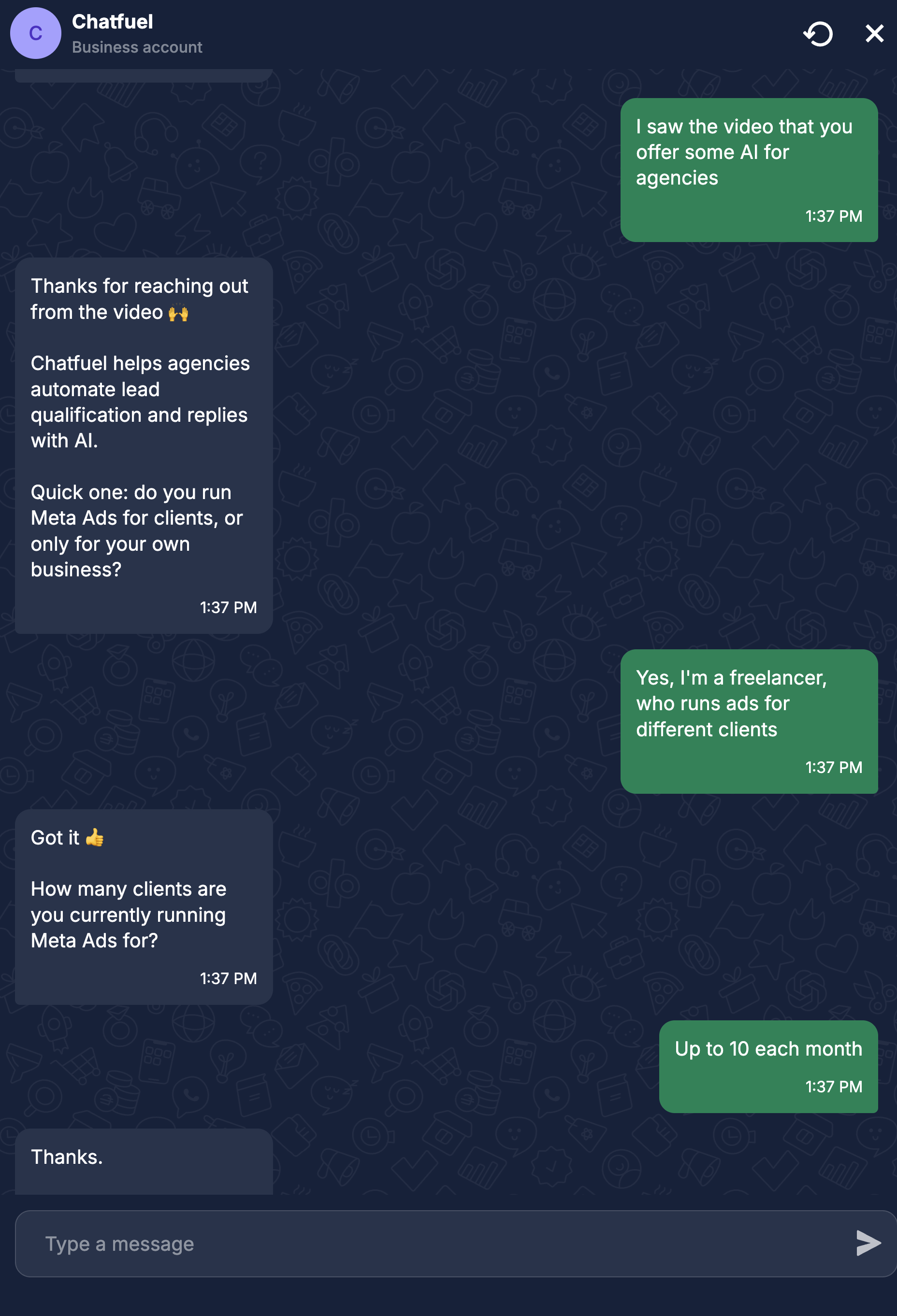
- One question per message. Ask the district, wait for the answer, then ask the budget. Stacking all three into one message reads like a form and kills response rates.
- Intent first. The opening question is “what are you looking for?” — not a demographic probe. Leads answer questions about themselves much more willingly once they’ve said what they want.
- Personal questions come with a why. Before asking budget or financing, the bot frames it: “so I can suggest options that fit your situation.”
- WhatsApp register. Short messages, one or two sentences, mirroring the lead’s tone — not “Please provide your requirements.”
You don’t write these rules yourself — they come standard when the Co-Worker sets up qualification. What you should do is test them: play a lead in the preview pane and check the conversation feels like chat, not paperwork.
What happens when all fields are collected
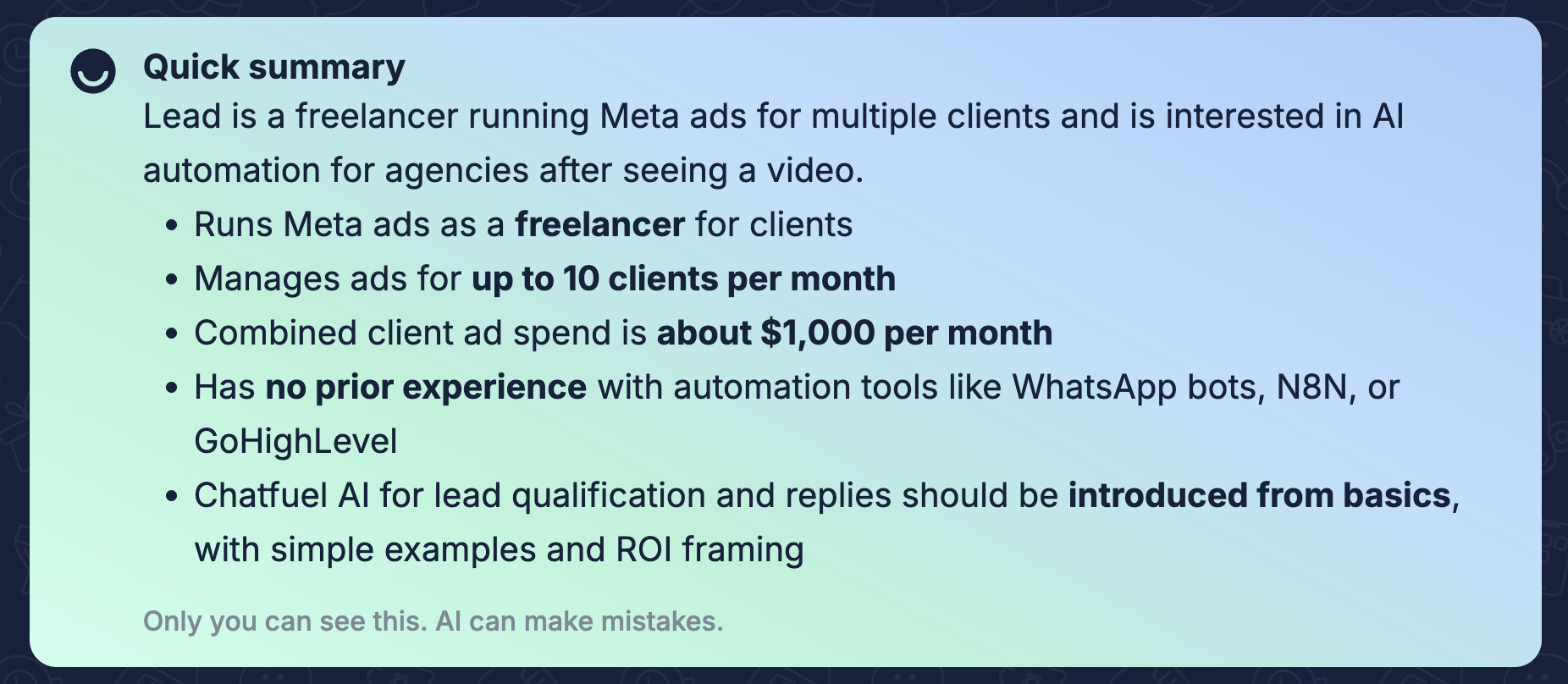
The moment the bot has all the answers, the handoff fires:
- The chat moves to the client’s team inbox — out of the bot’s hands, into a human’s.
- The lead arrives with the collected fields on their profile plus their last message — e.g. District: Centro. Budget: $200k. Timeline: 3 months. Last message: “can we schedule a viewing?”
- The Chatfuel mobile app pushes a notification the moment a qualified lead lands, so whoever owns follow-up — the client’s salesperson or your account manager — replies while the lead is still warm.
No scoring thresholds to tune: qualified means “all fields collected”, and the bot won’t hand off before that.
Setting it up takes one sentence
In the “Set up WhatsApp” onboarding, the Co-Worker proposes ready-made field sets tailored to the client’s business — you pick one or name your own fields. To change them later, just tell it: “Change the qualification questions to service, date, and budget.” It reconfigures the fields and the handoff rule to match.
Where to next
Where qualification sits among the bot’s five modules.
Good questions need good answers — feed the Knowledge Base first.
Qualify leads at 3 a.m. — decide when the bot answers.
Qualified leads not reaching the team? Start here.