
Partner access to the client's portfolio
Two ways into a client’s Meta Business Portfolio — and exactly which permissions to ask for
Your client has a Meta Business Portfolio — good, that’s the easy case. Now you need to get inside it the professional way: partner access, business-to-business, no shared passwords, revocable by the client at any time. There are two routes: the client grants it, or you request it from your side and the client only clicks Approve. Learn both — the second one is what separates agencies that launch in a day from agencies that spend a week emailing screenshots.
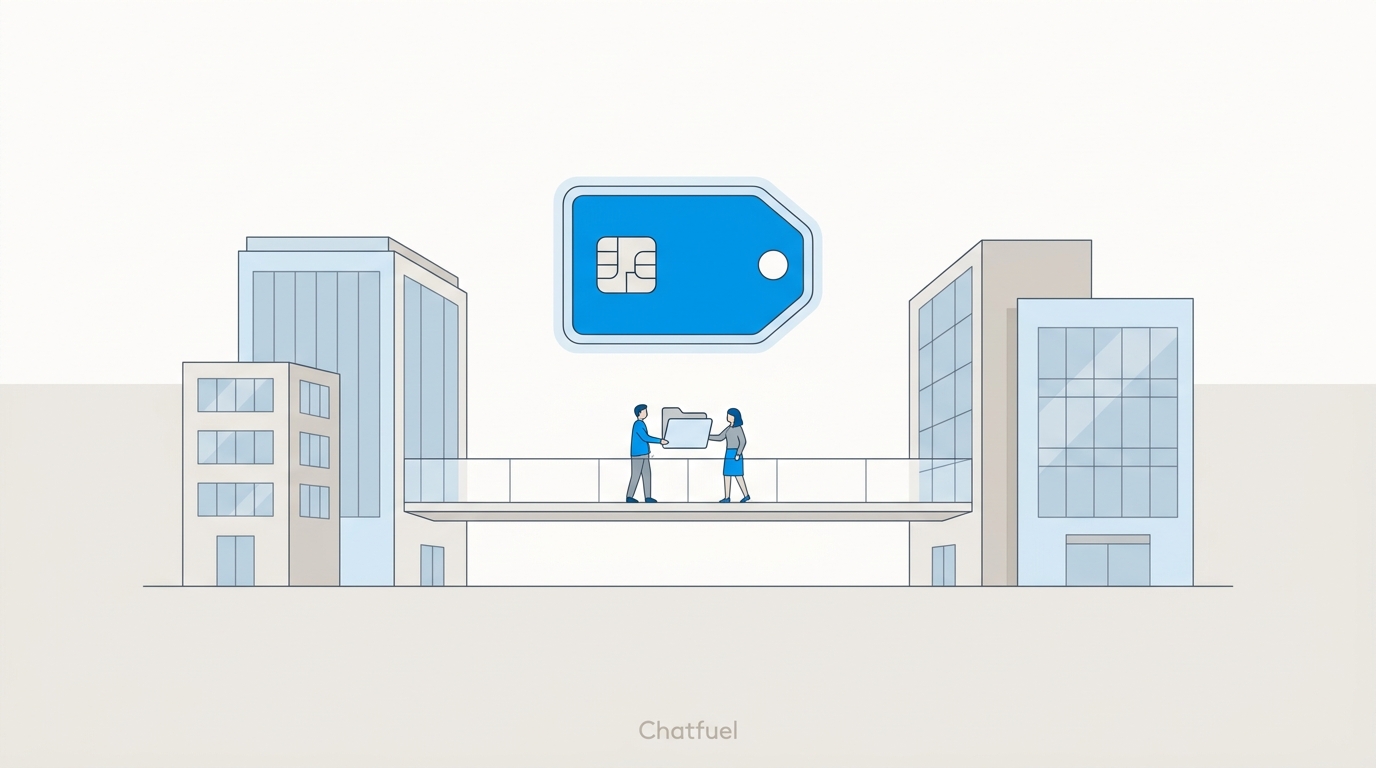
People access vs. partner access
Meta has two mechanisms for letting someone into a portfolio, and clients mix them up constantly. Know the difference cold, because you’ll be the one explaining it:
For day-to-day agency work — running ads, managing the Page, reading the pixel — partner access is the answer. It scales: one grant from the client, and you manage your team’s permissions internally. There’s one exception where people access matters, covered at the end of this page.
Before you start: find your Business Portfolio ID
Both routes need your agency’s own portfolio. If you don’t have one yet, create it at business.facebook.com — it takes five minutes and you only do it once, for your agency, ever.
Your ID lives in Business Settings → Business Info — a 16-digit number under your business name. Keep it in your onboarding template; you’ll paste it into every new client conversation.
Route A: the client grants you access
The classic flow. Send the client these steps (there’s a ready-made script you can forward as-is):
Open Partners in Business Settings
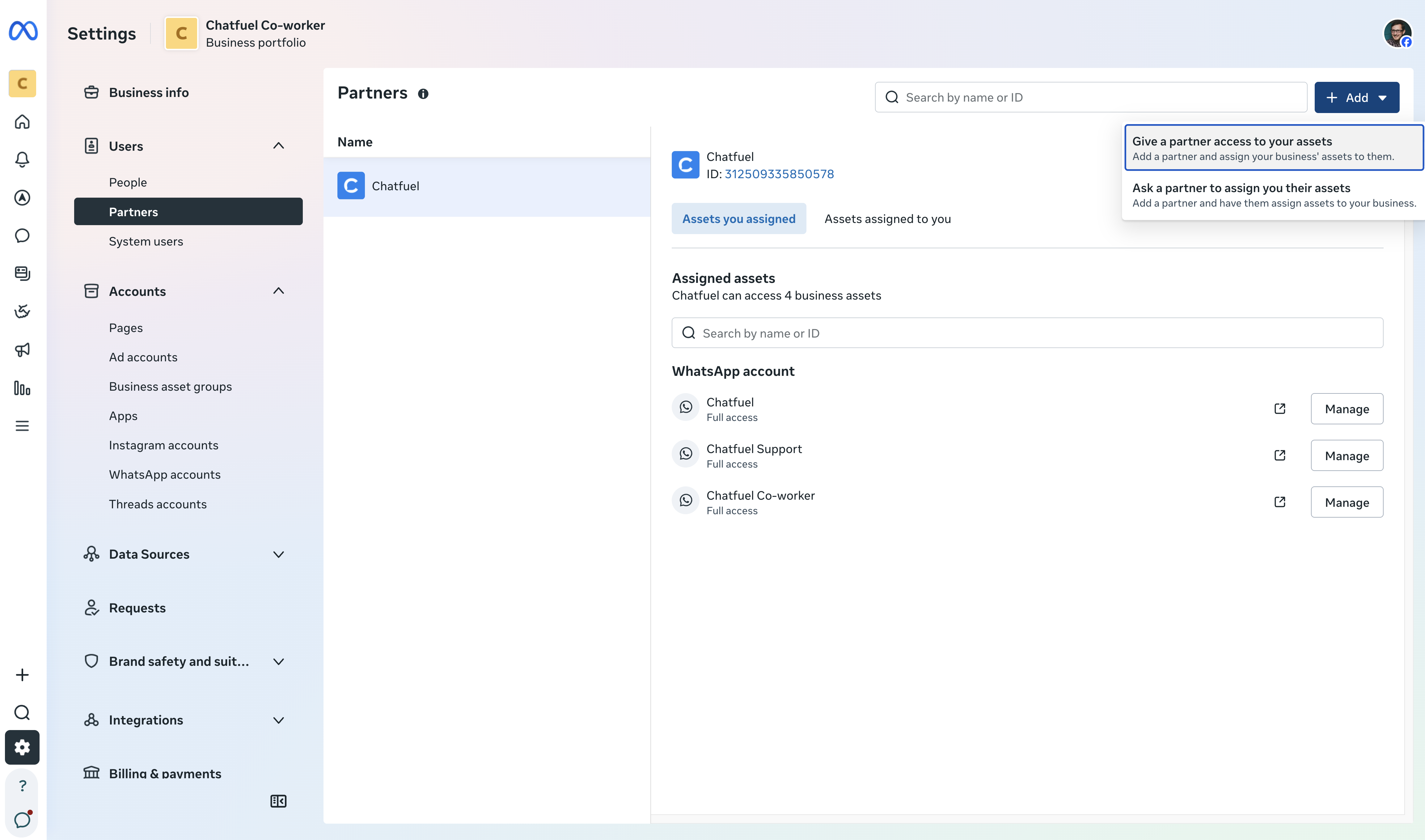
The client goes to business.facebook.com/settings → Partners → Add → Give a partner access to your assets. Only someone with full control of the portfolio can do this — usually the owner.
Route B: you request access — the client just approves
Fewer steps on the client’s side means fewer things go wrong. From your Business Settings:
Send the request
Business Settings → Partners → Add → Ask a partner to assign you their assets. Enter the client’s email (the one tied to their portfolio) and, if you have it, their Business Portfolio ID.
Specify assets and permission levels
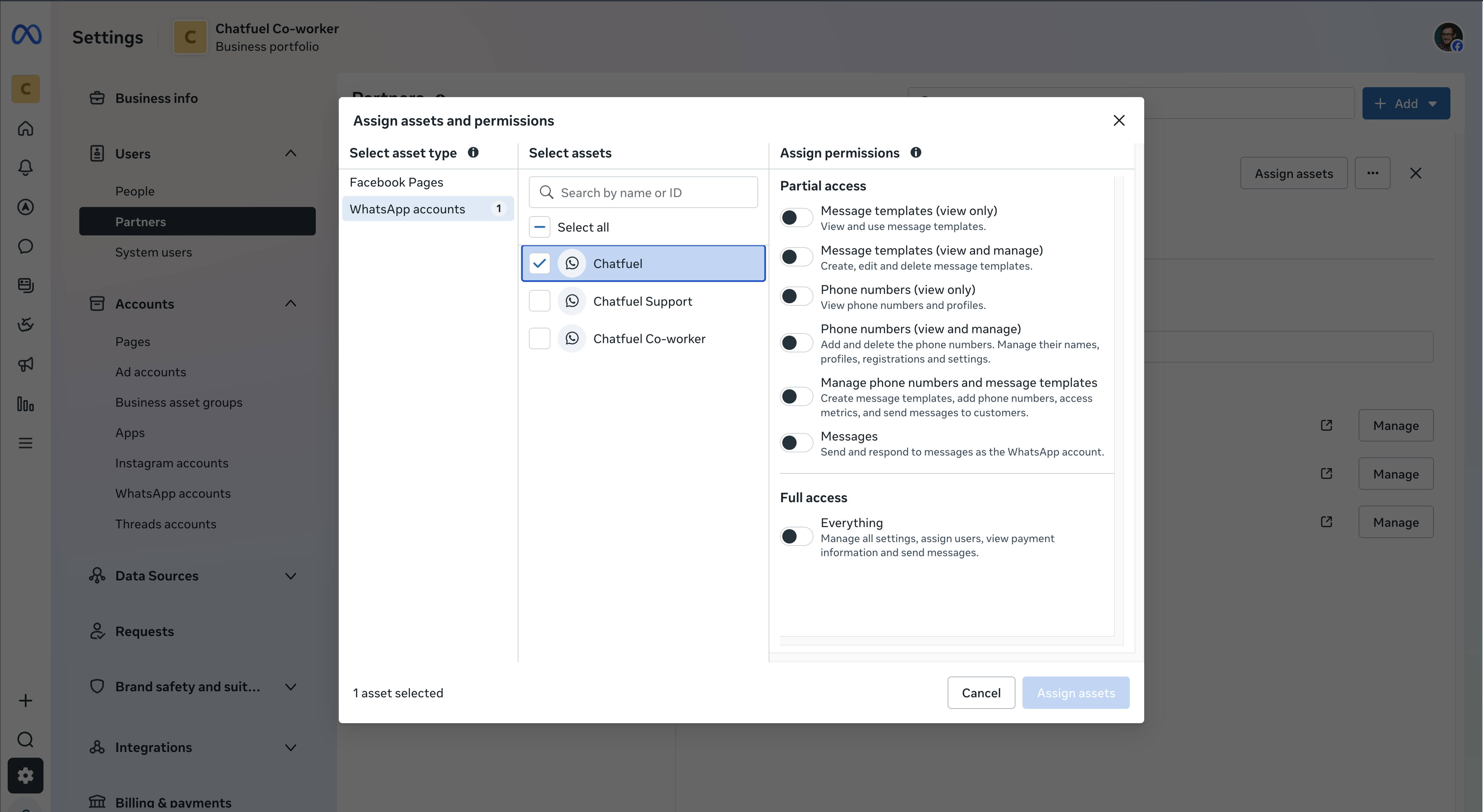
You choose what you’re asking for — ad account with ads management, Page, Instagram, pixel. Precision here is a professionalism signal: asking for exactly what the job needs, no more.
What permissions to ask for
Ask for task-level (partial) access matched to the job — it’s what security-conscious clients expect, and it protects you too: you can’t be blamed for what you couldn’t touch.
The exception: connecting WhatsApp to Chatfuel
Partner access runs your ads. But when it’s time to connect the client’s WhatsApp, Meta’s authorization flow requires the person clicking Connect to be logged in with a Facebook account that has Full control of the client’s business portfolio — the client can verify who has it at business.facebook.com/settings/people. Two clean ways to handle it:
- Screen-share. The client logs in and clicks; you navigate. Fifteen minutes, no extra access. This is also the only way for Instagram — that authorization must come from the client’s own Instagram account.
- People invite with Full control. For clients you’ll manage long-term, have them add one senior person from your team in Business Settings → People with Full control. Reconnections, number changes, and troubleshooting stop requiring the client’s calendar.
Never remove the old admin first
If you’re helping a client clean up their portfolio, make sure the new account has full access and can see the WhatsApp Business Account under Accounts → WhatsApp accounts before removing anyone. Removing the old admin first can lock everyone out of the WABA — and getting it back means a support case with Meta.
When something’s still red
Request never arrived, assets shared but invisible, permissions that don’t let you do anything, an admin who left the company — every access dead-end has a known exit, and they’re all collected in Troubleshooting access issues.
Where to next
The exact messages to send for Route A and Route B — in client language.
No portfolio to get access to — build one from scratch, in the client’s name.
Put the access to work — connect the client’s number to Chatfuel.
Vanished requests, invisible assets, missing admins — every dead-end and its exit.