
When the client has nothing set up
No Business Portfolio, no Page, a personal Instagram at best — build their Meta foundation from scratch, in their name
“We don’t have any of that” is not a lost deal — it’s usually your best client. A business with no Meta setup has no bad habits, no mystery admins from three agencies ago, no disabled ad account with a history you’ll never untangle. You get to build it clean. Many agencies charge for exactly this as a setup package; all of them use it to become indispensable. There’s just one rule that decides whether this goes well.
The golden rule: build in the client’s name
Everything you create — the Business Portfolio, the Page, the ad account, the WhatsApp Business Account — must be owned by the client, created under their Facebook account, their business details, their payment method. You then get in as a partner, exactly like with any established client.
The tempting shortcut — spinning it all up inside your agency’s portfolio because it’s faster — is a trap with two jaws. If the client ever leaves, they lose their audience, their pixel data, their WhatsApp number and its chat history, and that conversation is ugly. And if your portfolio catches a restriction, every client inside it goes down together. Ownership stays with the client; access is what you get. That separation is also exactly how Chatfuel is built to work — one client, one company, nothing mixed.
What you’re building
The full foundation, in order:
A Facebook account that will own it all
The portfolio hangs off a personal Facebook account — use the owner’s real, aged account, not a fresh one registered yesterday (new accounts creating business assets is a restriction magnet). If the owner has no account at all, they create one and let it warm up for a few days of normal activity.
Create the Business Portfolio
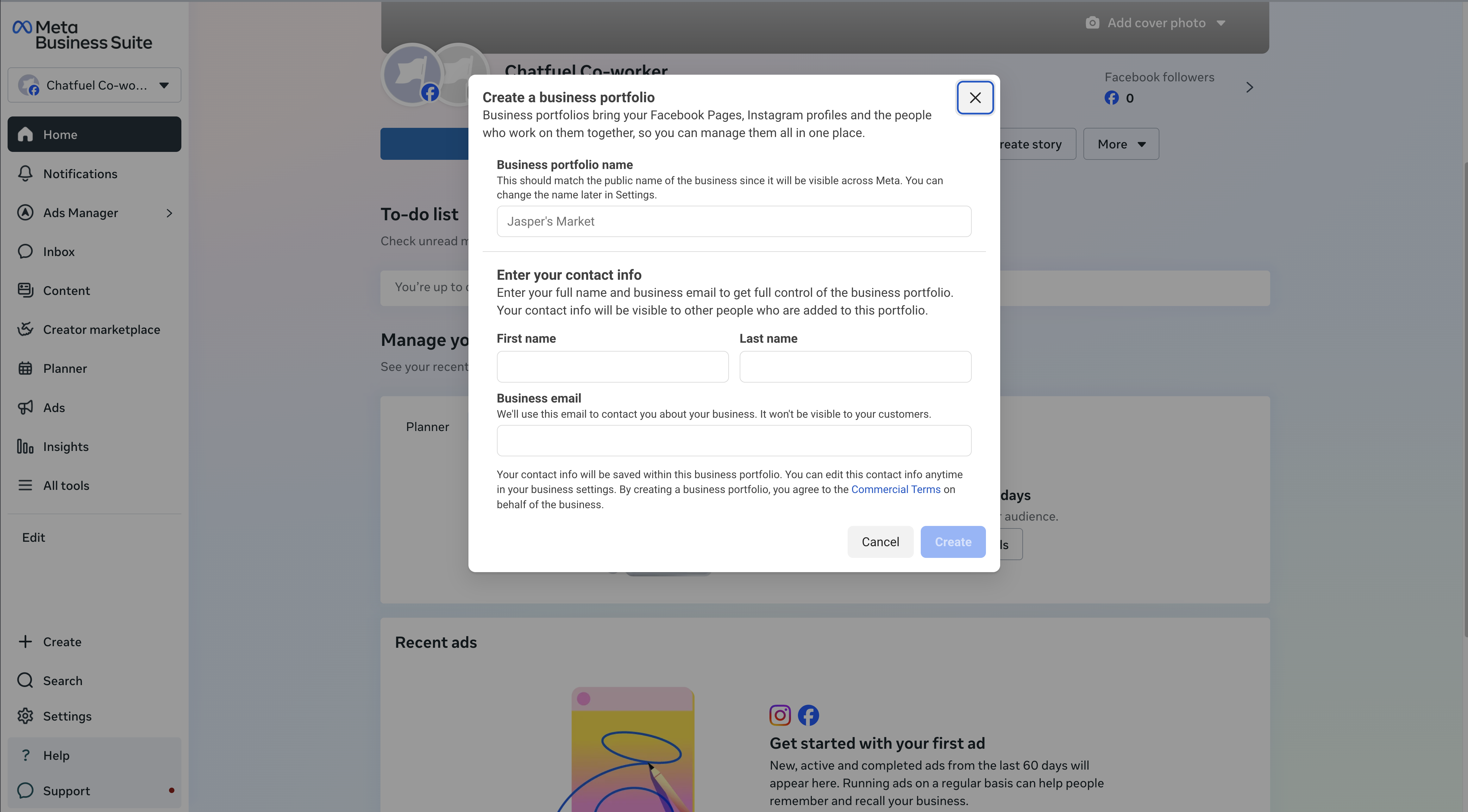
At business.facebook.com, the client clicks Create a business portfolio: business name exactly as legally registered, a business email they actually check, their details. Five minutes. This container will hold everything else.
Create or claim the Facebook Page
A Page is required to run ads — even pure WhatsApp campaigns are published from a Page. If one exists, add it to the portfolio (Business Settings → Accounts → Pages); if not, create it from inside the portfolio: real brand name, category, logo, cover, and a few posts so it doesn’t look abandoned to Meta’s review systems.
Switch Instagram to professional and link it
In the Instagram app: Settings → Account type and tools → Switch to professional account (free, takes a minute — a personal account can’t connect to anything). Then link it to the portfolio under Accounts → Instagram accounts.
Create the ad account
Business Settings → Accounts → Ad accounts → Add → Create a new ad account — right currency, right time zone (changing either later means a new ad account), and the client’s card or payment method attached. The budget should always run through the client’s own billing.
Add your agency as a partner
Now the client’s setup looks exactly like any established client’s — so finish the standard way: partner access to the new portfolio, assets assigned, your team distributed on your side.
Submit business verification early
Do this the same week — not when the launch is already burning. Unverified businesses are capped at 250 business-initiated chats per day on WhatsApp, and some can’t message reliably at all. Verification lifts the ceiling in steps — 1,000 → 10,000 → 100,000 → unlimited unique customers per day — and cuts ban risk while it’s at it.
The client submits in Business Settings, under Verify your Meta business portfolio, with official documents: business registration or license, certificate of incorporation, tax document, or a business bank statement. One detail causes almost every rejection: the legal business name on the documents must exactly match the name in the portfolio’s Business Info settings. Match it first, then submit. Review often takes just a few hours.
Verification ≠ checkmark
Business verification is not the blue or green badge — it’s the boring paperwork layer that raises messaging limits and unlocks growth. It is a prerequisite for the green Official Business Account badge later, which is a nice line in your client report.
The WhatsApp number
The number is a real decision, because it’s hard to change later:
- A dedicated number is the clean start. Any number that can receive an SMS or a call works — including a landline or a fresh SIM. It must not be registered to a personal WhatsApp; if it is, that WhatsApp has to be deleted first.
- An existing WhatsApp Business App number can migrate. The client keeps the number, contacts, product catalog, and up to 6 months of chat history — customers notice nothing. One irreversible choice during migration: whether to share existing chats. Decide it with the client beforehand, because it can’t be changed after.
- The display name gets reviewed by Meta. It must be the real business name — no “WhatsApp” or “Meta” in it, no ALL CAPS, no emoji, no extra punctuation. A rejected name stalls the whole connection, so get it right the first time.
The connection itself — portfolio, WABA, QR codes and verification codes — happens inside Chatfuel’s flow and is covered step by step in WhatsApp: first connection.
From zero to launch-ready
Realistic timeline for a from-scratch client: the portfolio, Page, Instagram switch, and ad account are one working session. Verification is a few hours to a couple of days. Fresh ad accounts also start with conservative spending limits that loosen as payments clear — one more reason to build the foundation the week you sign, not the week you launch.
Where to next
The foundation is built — now get your agency in the professional way.
Including the message for “you don’t have a Business Manager yet — here’s what we’ll do.”
Connect the new number to Chatfuel and put the bot on it.
Verification, display names, and messaging limits in depth.