
Booking & calendar: let the bot fill the client’s calendar
Booking & calendar: let the bot fill the client’s calendar
For service businesses the funnel ends at a booked slot, not a qualified lead — choose how far the AI goes, from collecting intent to running the calendar on its own
A qualified lead that never books is ad spend half-wasted. For salons, clinics, studios — any client who sells time slots — the bot can carry the conversation the last mile: agree the service, find a time, and put the appointment straight into the client’s calendar. How much of that happens without a human is your call: four autonomy levels run from “collect what they want and hand off” to “book, reschedule, and cancel end to end”. Picking the right level per client is exactly the kind of judgment they pay an agency for.

What the bot needs before it can book
There’s no separate switch — booking turns on by itself the moment the client’s catalog contains a service. Two things have to exist first:
- Services — what can be booked: a name, a duration, optionally a price and description. The bot uses these details to suggest the right option, so a line like “Deep-tissue massage, 60 min, $80” beats a bare “Massage”. Services live in the same catalog you filled in Uploading info about the client’s business.
- Specialists — the people leads actually book with. Each specialist has assigned services and a weekly schedule; the bot only ever offers slots inside that schedule and matches the specialist to the requested service.
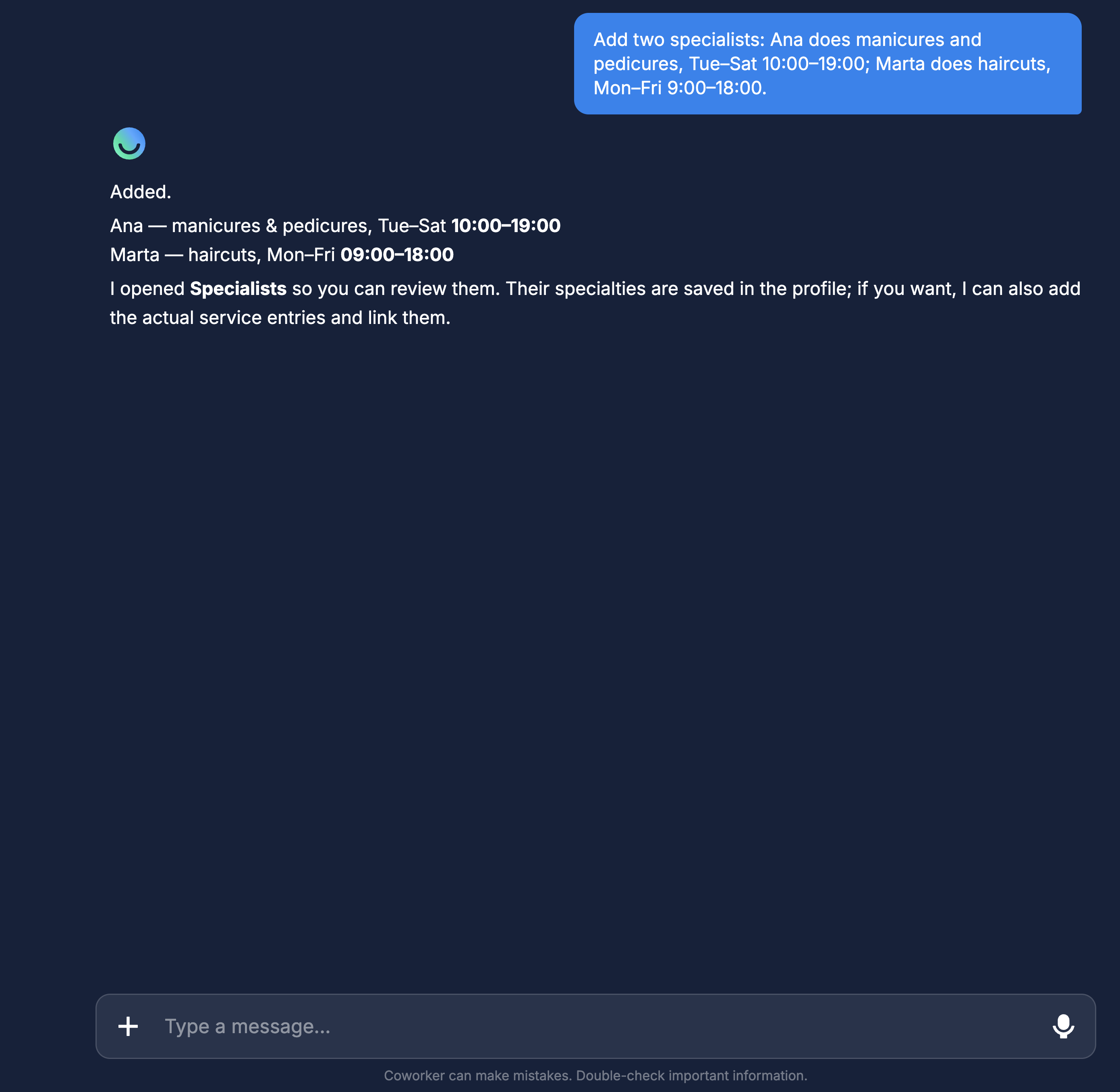
You create both by telling the Co-Worker, in plain chat: “Add two specialists: Ana does manicures and pedicures, Tue–Sat 10:00–19:00; Marta does haircuts, Mon–Fri 9:00–18:00.” It creates the profiles, assigns the services, and sets the schedules. A specialist with no service or no schedule never shows up in a booking conversation — the two most common reasons “the bot won’t offer times”.
How a booking conversation works
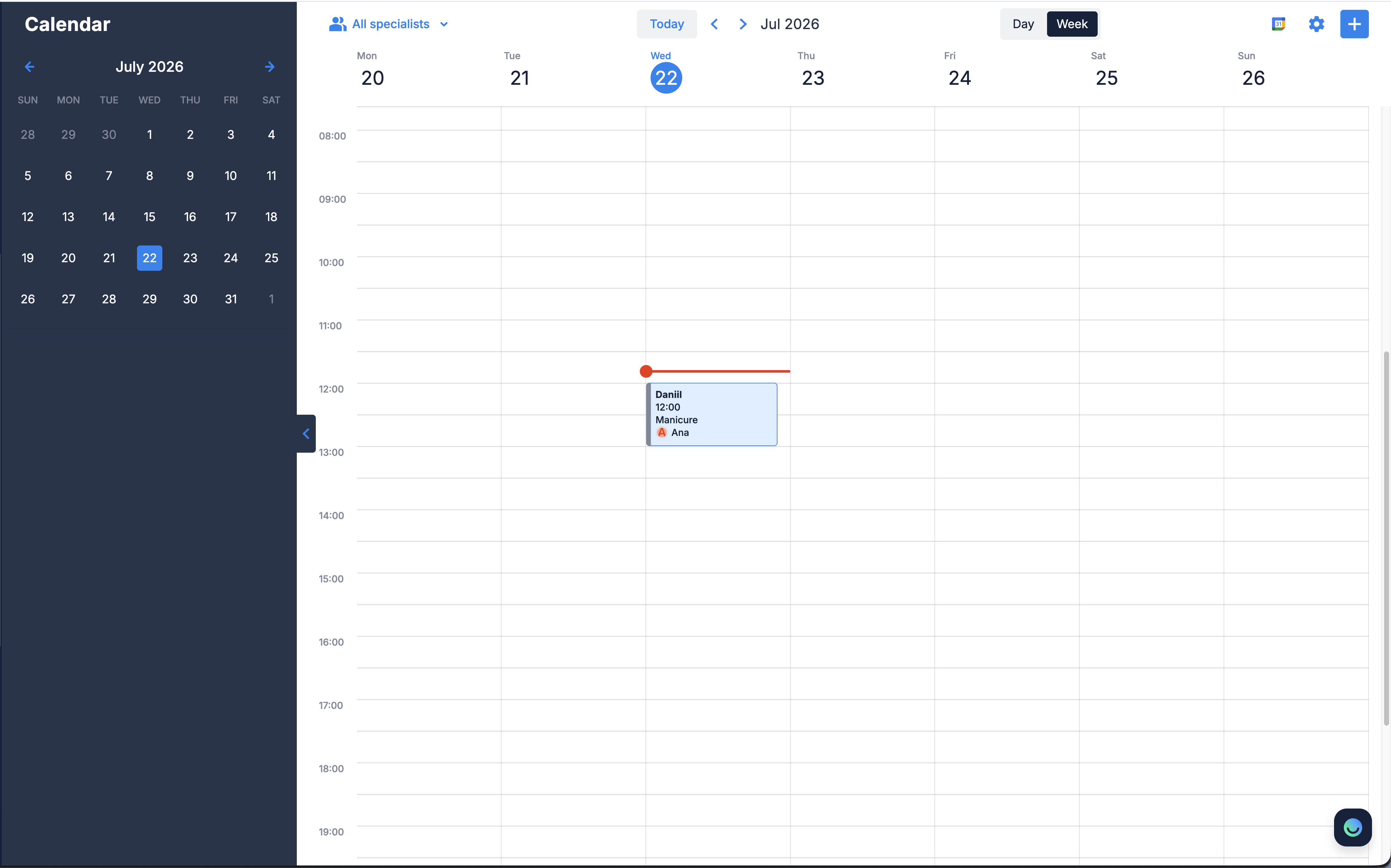
The bot books inside the same natural conversation it qualifies in — no forms. It settles three things: which service, what time, which specialist. If the requested slot is taken, it offers the next available opening instead of a dead end. Once agreed, the appointment lands in the client’s Calendar — the tab you saw in the interface tour — and the client’s team can step into any booking chat at any moment.
The four autonomy levels
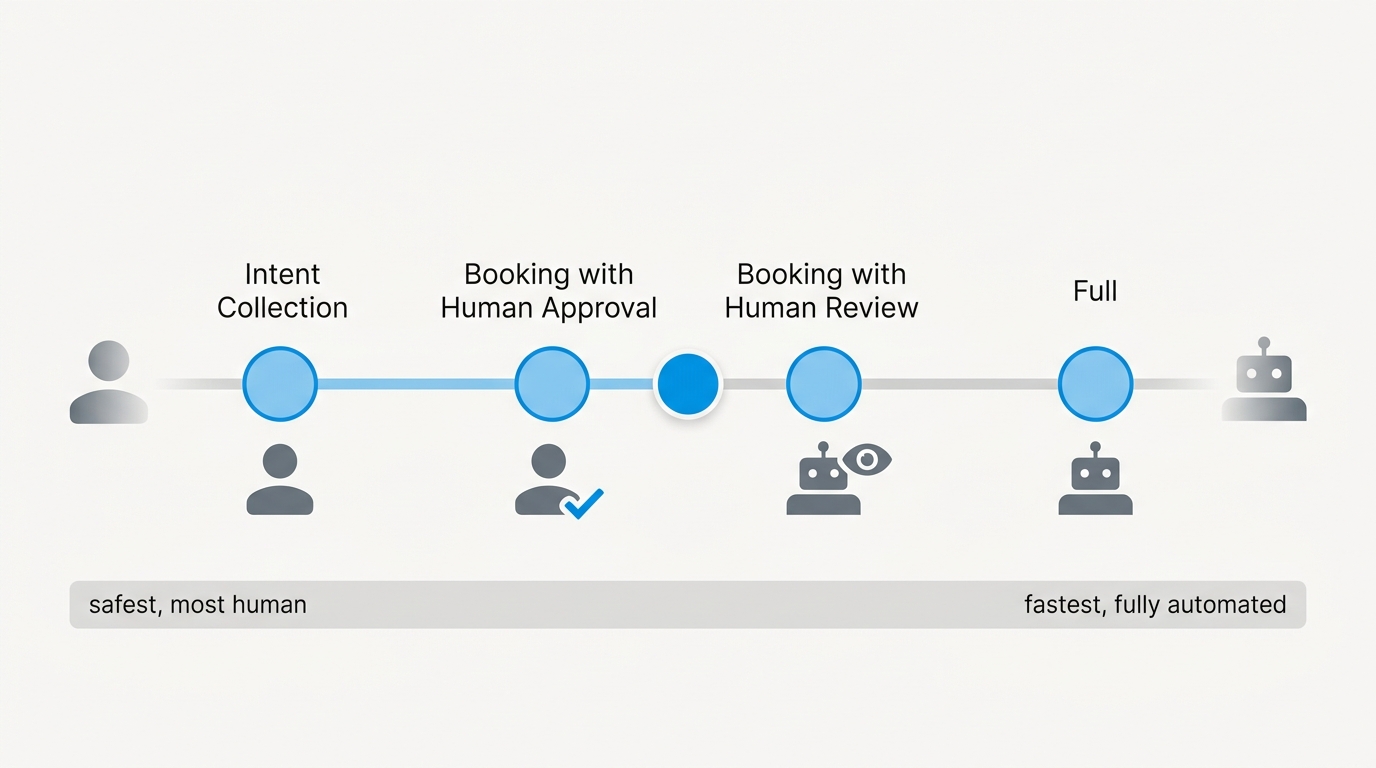
Autonomy controls how far the bot goes before a human gets involved. New bots start at the safest level, Intent Collection, and you move them up as the client’s trust (and your setup) earns it. Changing the level is one sentence to the Co-Worker — “Set booking autonomy to Full” or “I want human approval before bookings are created” — and never touches existing bookings.
Intent Collection
The AI finds out what the lead wants — which service, roughly when — and hands the conversation to a human. No booking is created; the client’s team closes every appointment themselves.
- Pros: zero risk of a wrong booking; every deal gets a human touch; nothing to un-teach the team.
- Cons: a human is in the loop on every single booking, so speed and cost scale with headcount — and a lead writing at 3 a.m. waits until morning.
- Recommend it for: clients just starting with AI, lead-capture-only funnels, and services where booking is really a negotiation (custom quotes, consultative sales).
Booking with Human Approval
The AI runs the whole back-and-forth — service, preferred time, specialist — then passes it to a human who confirms and creates the booking.
- Pros: the conversational labor is automated, but a human keeps the final say; wrong bookings can’t reach the calendar.
- Cons: the lead waits for confirmation, and the slot they wanted can be gone by then; someone on the client’s side has to actually process approvals or the funnel stalls.
- Recommend it for: high-value or high-stakes services — medical appointments, property viewings — where a double-booking or a wrong booking costs real money.
Booking with Human Review
The AI collects the data and creates the booking, then notifies a human to review it and step in if something’s off.
- Pros: the lead gets instant confirmation; the client keeps oversight without becoming a bottleneck.
- Cons: a mistake sits in the calendar until someone reviews it — this level only works if the notifications are actually read.
- Recommend it for: most clients ready to automate — it’s the natural first upgrade from the default: real automation with a safety net.
Full
The AI handles everything — booking, rescheduling, cancellations — and involves a human only when the customer explicitly asks for one.
- Pros: instant service 24/7, zero manual work, scales without headcount.
- Cons: no one checks the AI’s work, so the quality of your setup — services, schedules, Knowledge Base — is the only safety net; mistakes surface through customers.
- Recommend it for: high-volume, standardized services — salons, fitness studios, barbershops — after a few clean weeks on Human Review.
The trap: autonomy without handoff
Every level below Full ends with the conversation going to a human. If human handoff is switched off for the client’s bot, the AI collects everything — and has nobody to pass it to. Before dialing autonomy down, make sure handoff and the team inbox are set up and staffed.
Test it before the client sees it
Play a lead in the preview pane or on the connected channel: ask to book, pick a service and a time, and finish the flow. Then check three things — the appointment shows in the Calendar with the right specialist and slot; the level behaves as promised (did a human get the handoff or the review notification?); and a request for a taken slot gets offered the next opening. If the bot never offers booking at all, the catalog is missing a service or the specialist has no service or schedule assigned.
Where to next
What the bot finds out before the booking talk starts.
Services live in the catalog — fill it before the bot can book.
Book appointments at 3 a.m. — decide when the bot answers.
Where the Calendar and team inbox live in the dashboard.