
Troubleshooting access issues
The partner request vanished, the assets aren’t visible, the real admin left the company — every access dead-end and its exit
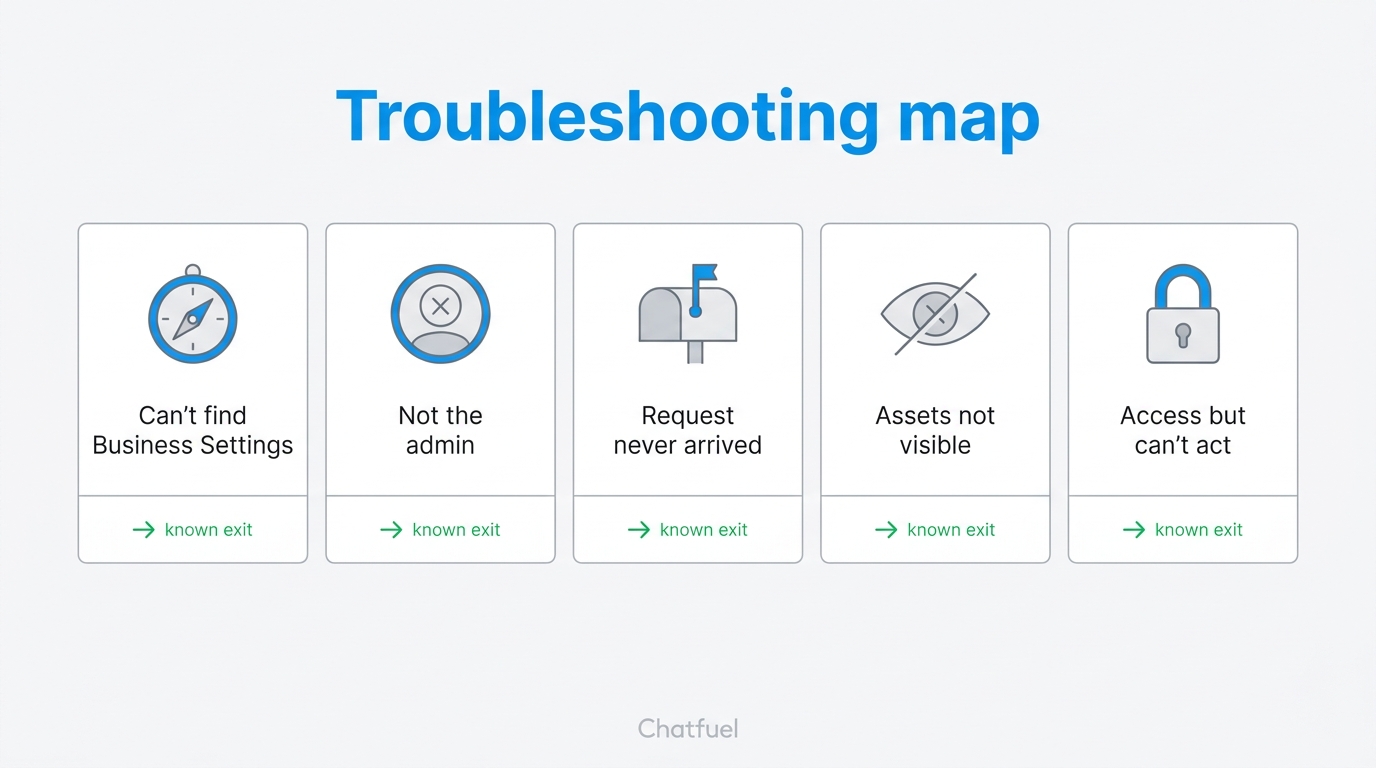
You sent the request, the client swears they clicked everything, and yet — nothing. Access problems all look the same from the outside (“it doesn’t work”) but have a handful of very different causes underneath. This page is the map: find your symptom, apply the fix. All of these happen before any channel touches Chatfuel — if access is fine but the WhatsApp or Instagram connection itself fails, that’s a different family of errors covered in Common Meta access errors.
”The client can’t find Business Settings or the Partners menu”
The client is looking at their personal Facebook, or at the Page’s inbox in Meta Business Suite — not at portfolio settings. Two possibilities:
- They have a portfolio but are lost in the interface. Send them the direct link:
business.facebook.com/settings→ Partners in the left menu. Meta’s navigation changes often enough that “click Settings, then…” descriptions rot; the direct URL doesn’t. - They don’t actually have a Business Portfolio. A Facebook Page alone, run from a personal profile, is not a portfolio. If
business.facebook.comoffers them to create a business portfolio, that’s your answer — switch to the from-scratch track. It’s a 5-minute create, not a crisis.
”The person I’m talking to isn’t the admin”
Only someone with Full control of the portfolio can add a partner. Your day-to-day contact — the marketing manager, the owner’s nephew — often isn’t that person. Ask directly: “Who sees the Partners menu at business.facebook.com/settings? Whose name has Full control under People?”
The painful variant: the only Full-control admin is gone — an ex-employee, a previous agency, a co-founder who left. Options, in order:
- Someone reachable still has Full control — have them add the owner (or you) properly before anything else changes.
- The old admin is reachable but external (previous agency): ask the client to request they add the owner with Full control. Most part on decent terms; a short polite email solves it.
- Nobody has access — the client goes through Meta’s business support to prove ownership with business documents. Slow (days to weeks), so start it immediately and build anything time-critical in parallel.
Add the new admin before removing the old one
Whatever the cleanup plan, the order is fixed: new Full-control admin in and confirmed working first, old one removed second. Removing first is how businesses lose their own WhatsApp Business Account.
”I sent the partner request and nothing arrived”
The request from your side (Route B) travels to the email tied to the client’s portfolio, not necessarily the email you have for them. Three usual causes:
- Wrong email. The portfolio was created years ago on an address nobody checks. Ask the client to look at Business Settings → Business Info for the actual email — or check Partners directly, where the pending request shows regardless of email.
- It’s sitting in Requests. In the client’s Business Settings, pending partner requests appear under Requests / the Partners tab. Notifications are unreliable; the tab is not.
- Wrong Business Portfolio ID. If the client gave you their ID and the request went nowhere visible, verify it: 16 digits, from their Business Info page — not an ad account ID (those are shorter and live elsewhere).
”Access granted, but I don’t see the assets”
The client added your agency as a partner — and stopped there. Adding a partner and assigning assets to that partner are two separate steps, and the second one is the one that gets skipped. Ask them to open Partners → [your agency] → Assets and check what’s actually shared. If the list is empty or partial, that’s the whole bug.
The subtler version: the asset isn’t in the client’s portfolio to begin with.
- The Facebook Page is owned by the owner’s personal profile → it must first be added to the portfolio (Business Settings → Accounts → Pages → Add), only then can it be shared with a partner.
- The ad account or pixel lives in a different portfolio — a previous agency’s, a co-founder’s, an old test setup. An asset can’t be shared from a portfolio the client doesn’t control; it has to be reclaimed or recreated. Ad accounts in a previous agency’s portfolio usually can’t be transferred out — budget history stays, and the clean path is a new ad account in the client’s own portfolio.
”I have access but can’t do anything with it”
You see the asset, but campaigns won’t publish or settings are read-only. The client granted a lower permission level than the task needs — usually view-only analytics access instead of ads management. Have them open Partners → [your agency], click the asset, and raise the permission level. The permissions table shows exactly what to request per asset — send it along.
Separate case with the same symptoms: your own teammate can’t work with an asset the client definitely shared. Partner access lands on your agency’s portfolio — you still need to assign your people to the client’s assets on your side (your Business Settings → the asset → People). The client did nothing wrong; the missing step is yours.
”Meta is blocking the grant itself”
Sometimes the access flow errors out on Meta’s side:
- Two-factor authentication required. Portfolios with mandatory 2FA won’t let people without it touch settings. Both the client’s admin and your team need 2FA enabled on their Facebook accounts — it’s a five-minute fix and you should have it anyway.
- The client’s account is restricted. If the granting account has an advertising restriction or the portfolio itself is flagged, partner operations can silently fail. The client checks Account status / Business support home for red banners — restrictions have their own appeal flows and nothing moves until they clear.
- A brand-new portfolio acting weird. Portfolios created yesterday sometimes can’t add partners for a short period. Give it 24–48 hours of normal activity, then retry.
Still stuck?
If access is granted, assets assigned, permissions right — and the channel connection is what’s failing (QR code errors, “number not associated with the selected business”, Instagram not appearing) — you’ve graduated from this page. That family lives in Common Meta access errors, which is about exactly that stage.
Re-run the grant properly — both routes, with the permissions table.
The follow-up script for when the fix requires the client to click again.
When the diagnosis is “there is no portfolio” — build it clean.
The next stage: errors while connecting channels to Chatfuel.