
AI generation of creatives for offer/audience
AI generation of creatives for offer/audience
Brief the AI Co-Worker in chat and get a scroll-stopping ad creative in minutes — built from the client’s real offers, styled to their brand, ready for Ads Manager
In performance marketing, the creative decides more than the bidding ever will — and it’s also where agencies burn the most hours. A designer round-trip for every variant, every client, every test cell adds days to each launch. Chatfuel collapses that loop: you describe what you need to the AI Co-Worker, and minutes later you have a finished, professionally composed creative — generated from that client’s actual offers, prices, and look, not from a generic template.
From brief to creative in one chat
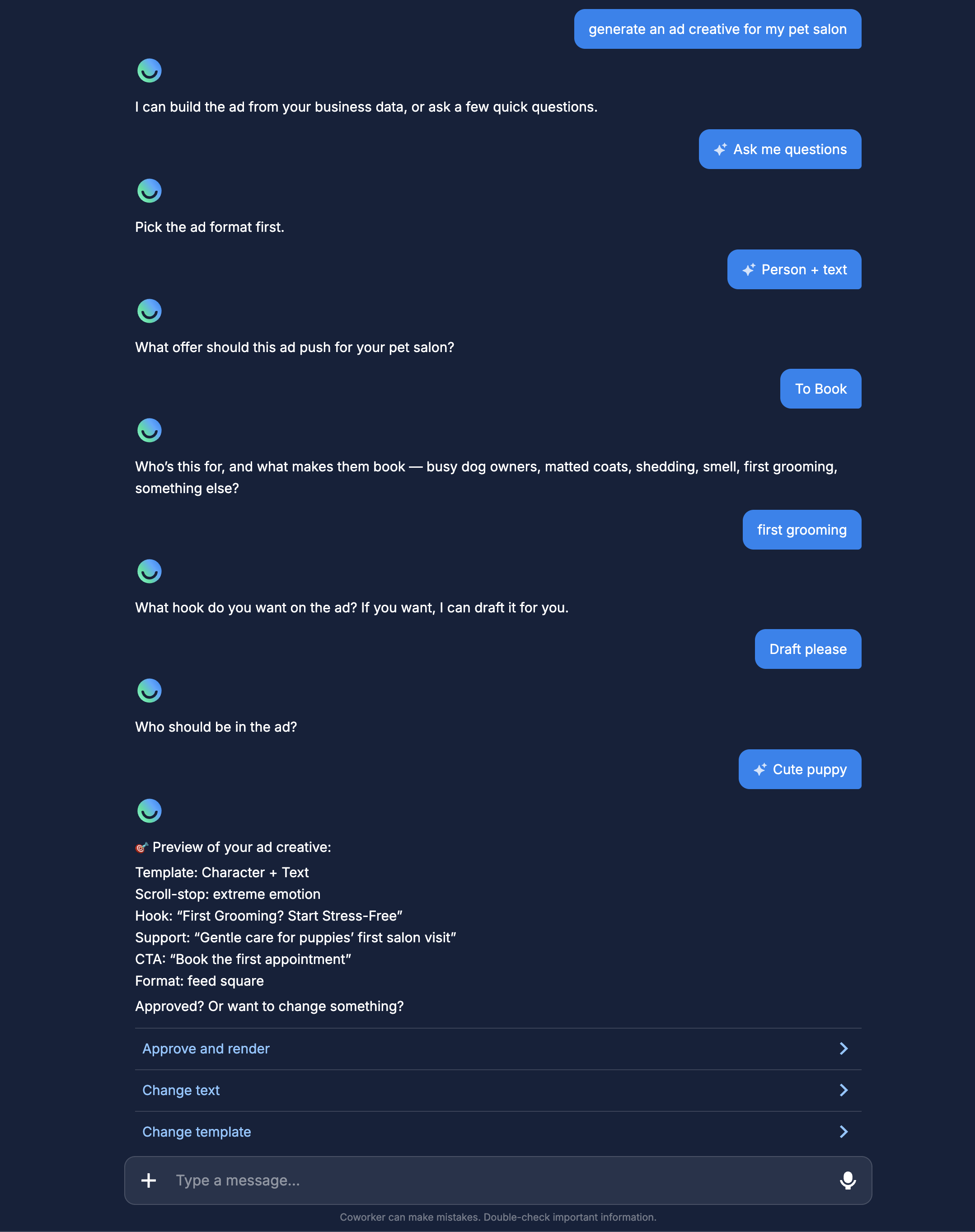
Tell the Co-Worker what you want — “generate an ad creative”, “banner for Meta ads”, “make me an Instagram carousel” — and it runs the whole production pipeline in the conversation:
- It gathers the business context itself. The Co-Worker pulls the client’s offers, prices, and positioning from the Knowledge Base, and can read the client’s Instagram account for extra context. You don’t re-brief it on the business — it already works for this client.
- You pick the path. Let it build the ad straight from the client’s data, or answer a few quick questions — the offer, the target persona and their main pain, the hook.
- You approve the text before anything renders. The Co-Worker shows a preview of the headline, support line, and CTA first. Changing a word at this stage is free and instant — you only render what you’ve signed off.
- It renders. One to two minutes later the finished creative is in the chat.
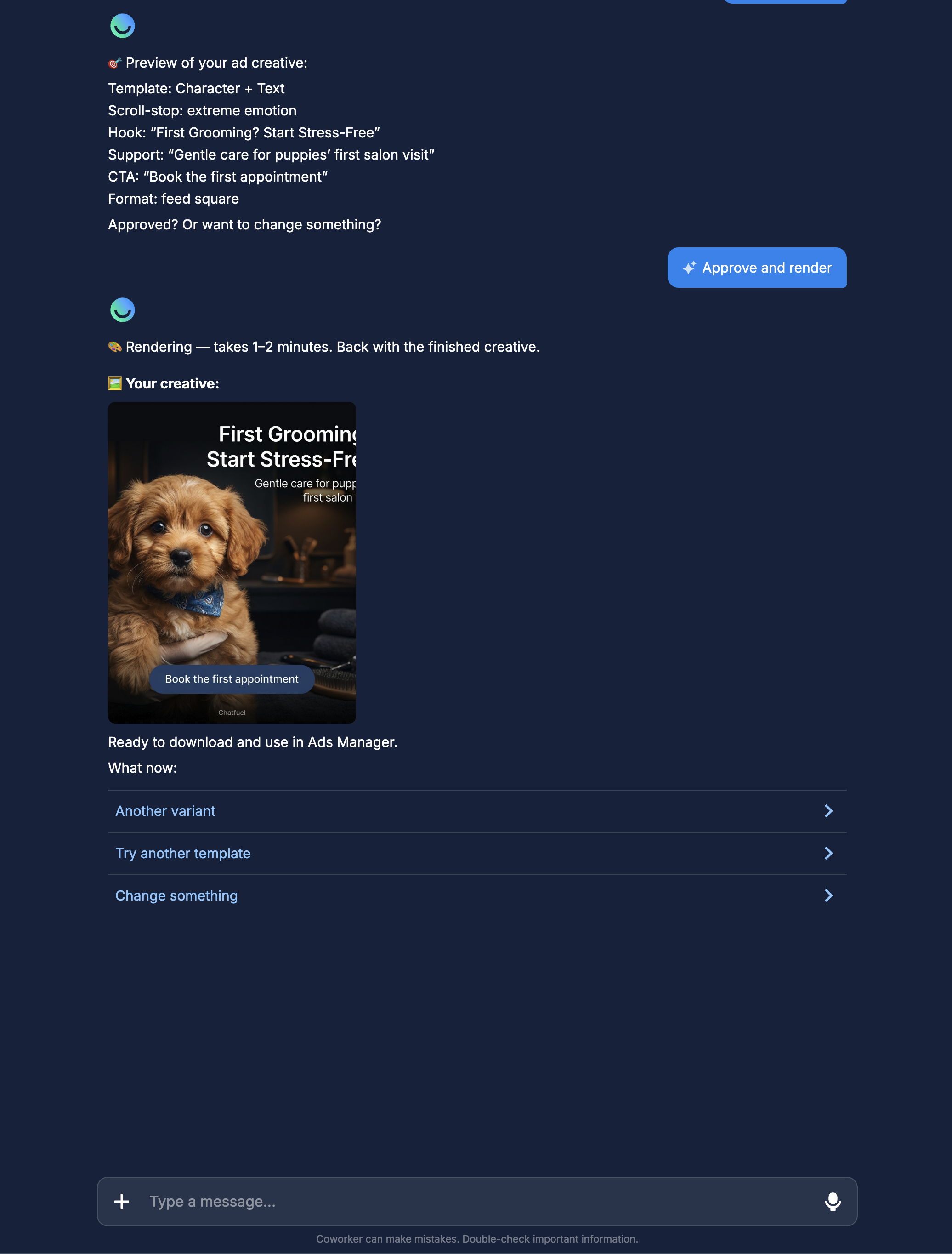
Want options? Ask for variants and it produces up to three takes on the same approved text — a photo-led version, a typography-led version, a split layout — ready for an A/B test.
What it can make
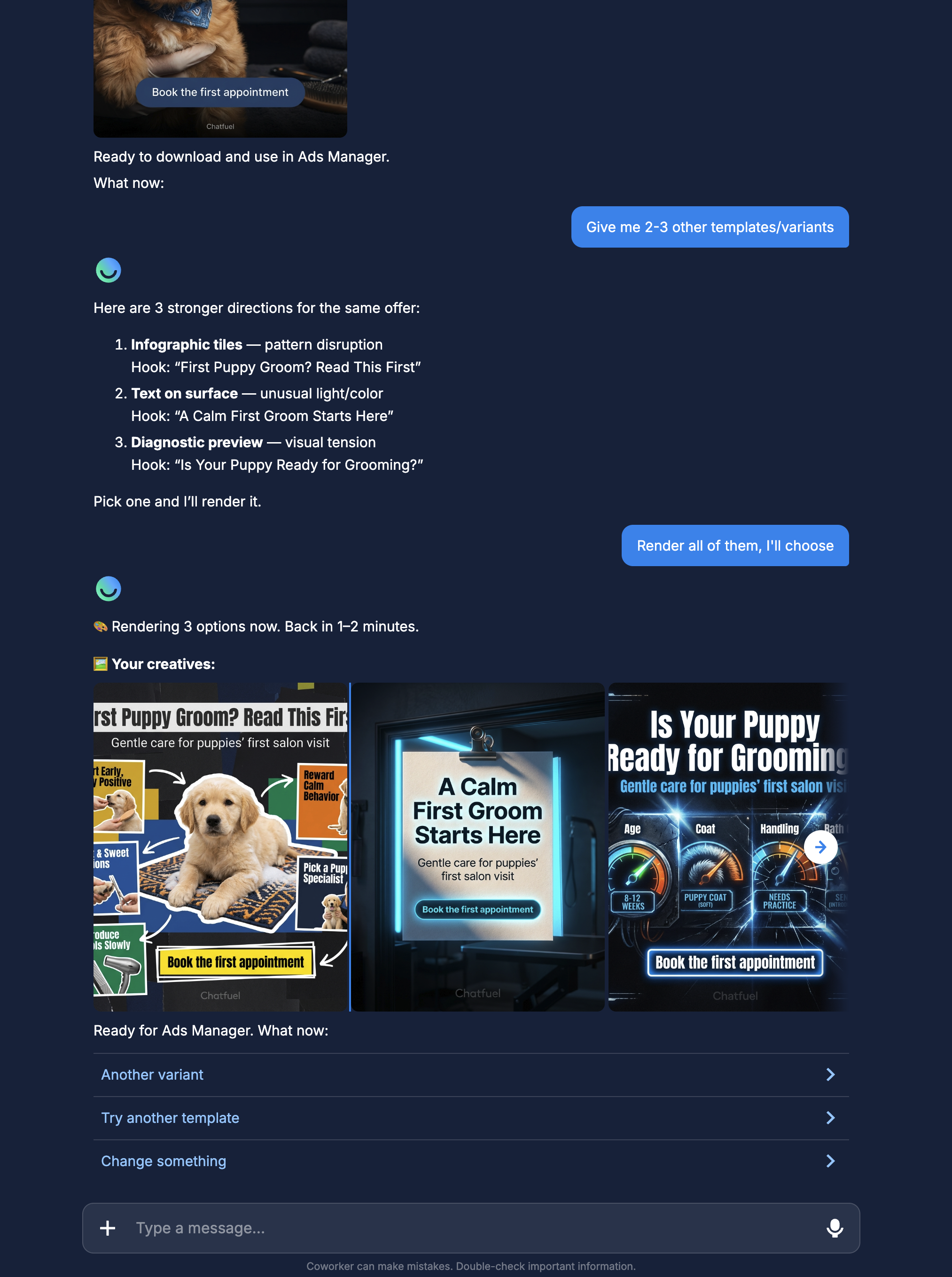
For ads it works from proven layout families: a character or product photo with a bold text overlay, a “saveable” infographic collage, a message written on a real-world surface (a mirror note, a sticky note, a receipt), or a diagnostic/calculator-style preview that begs to be tapped. And it writes in the client’s market language — brief it in English, and the creative for a Brazilian clinic comes out in Portuguese.
Why the output performs
This is not “AI slapped some text on a stock photo.” The generation follows the rules senior creative teams enforce by hand:
- Every ad gets a scroll-stop mechanic. Hard contrast, a pattern break, raw emotion, visual tension, or unusual light — because a creative that blends into the feed is invisible, and the Co-Worker refuses to make invisible ads.
- Headlines are engineered, not improvised. Ten words or fewer, always with a concrete specific — a number, a price, a named offer. “Quality you can trust”-style adjective soup is banned outright.
- Hooks come from named formulas — curiosity gap, pain-to-dream, value framing, identity triggers — the same playbook top media buyers run. More on these in AI copy and hooks.
- It never invents facts. Prices, discounts, and addresses come from the client’s Knowledge Base or from you — the creative won’t quote a promo the client never approved.
- It self-censors for Meta policy. Guaranteed-income promises, guaranteed health results, and other claim types that get ads rejected are caught and rewritten before rendering — your creative arrives moderation-friendly by default.
Style that matches the client
Every client looks different, and the Co-Worker asks where the look should come from:
- Match their Instagram feed — it studies the client’s recent posts and mirrors the palette, treatment, and mood, so the ad feels native to the brand.
- Describe it — “warm minimalism, cream and terracotta, no people” is enough.
- Attach photos — send up to six product or venue shots and they become the hero of the creative.
Where the result goes
Organic formats publish straight from the chat: one tap and the post, story, or full carousel is live on the client’s Instagram, caption included. Ad creatives you download and drop into Meta Ads Manager as you build the click-to-WhatsApp campaign. Either way, the cycle from “we need a new creative for this client” to “it’s live” is measured in minutes — which means you can test more angles per client per week than a design-queue workflow will ever allow.
The creative is only as sharp as the Knowledge Base
The Co-Worker builds from what it knows about the client. A rich Knowledge Base — real services, real prices, real tone — is what turns generic output into an ad that sounds like the client. Fill it first; it pays off in every creative after.
Where to next
The hook formulas behind high-CTR ads — and how to pick one per niche.
Get creatives through ad review the first time.
Feed the Knowledge Base the creatives are generated from.
Where the creative fits in the ads-to-WhatsApp pipeline.