
Connecting Instagram
Get invited into the client’s business once — then connect their Instagram yourself, in about two minutes
If your client runs Instagram ads or gets any real DM volume, Instagram is the second channel to connect after WhatsApp. It’s also the easiest one in the lineup: most steps are automatic, the whole thing takes a minute or two, and once the client has let you into their business, you do it yourself — no need to get them on a call.
Before you click Connect
- Get into the client’s business first. Access to the client’s Instagram is part of the same onboarding package as everything else — the client invites your agency into their business, and from then on you connect and manage the channel yourself. Collect it once, with the rest of the access checklist, via partner access.
- You need Admin or Editor in the client’s company in Chatfuel.
- The client’s Instagram must be a professional account — business or creator. If it’s still personal, don’t worry: the connection flow will prompt the switch and walk through it. Switching doesn’t touch content or followers.
The AI Co-Worker can't do this one
Connecting Instagram is one of the few steps the Co-Worker won’t complete for you — it requires authorizing with Instagram. It can take you straight to the right screen, though: just ask.
Connecting the account
Open the Instagram settings
In the client’s company, go to Settings → Instagram and click Connect Instagram.
Log in
If no active session is found, a login screen appears — sign in using the access the client granted you.
If Instagram “goes silent”
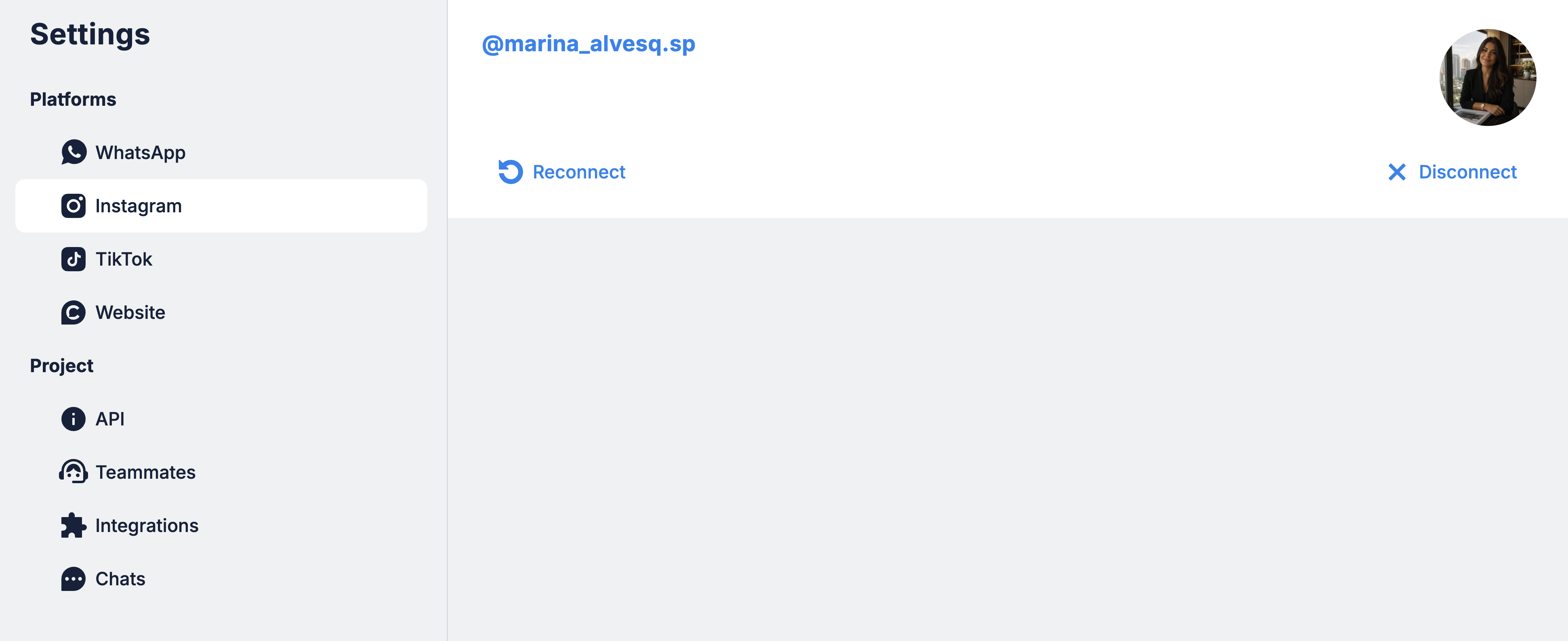
Instagram connections occasionally drop. If the AI stops answering DMs, check this before anything else: Settings → Instagram → Reconnect. It fixes the most common failure in one click.
Where to next
The onboarding checklist that gets your agency into the client’s business.
How the invite works on Meta’s side, permission by permission.
The next channel — check its restrictions before you promise it.
Catch the leads who land on the client’s website.